Halloween Illustration Scene Generator
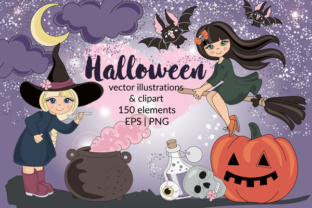
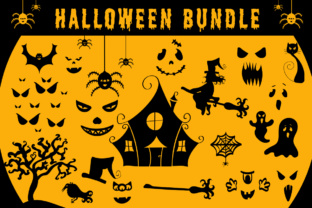
The Halloween Illustration Scene Generator is a powerful tool that lets you bring your spooky visions to life. With 21 unique elements, it offers endless possibilities for creating custom designs that fit any project. Whether you're a designer, marketer, or hobbyist, this scene generator makes it easy to experiment with different Halloween themes and styles.
What sets the Halloween Illustration Scene Generator apart is its flexibility. You can mix and match elements like scared faces, vampire faces, spiders, haunted houses, and more to craft scenes that reflect your creative vision. The ready-made Halloween scene serves as a starting point, but the real magic happens when you personalize it.
Explore Creative Possibilities
One of the most exciting aspects of the Halloween Illustration Scene Generator is how it encourages experimentation. Each element can be used in multiple ways, allowing you to explore different moods and aesthetics. A simple spider web can become the centerpiece of a mysterious scene, while a black cat might add a touch of eerie elegance.
For example, combining a haunted house with a witch and a broom creates a classic Halloween vibe. Alternatively, using a joker face alongside spiders and a web could lead to a more twisted, surreal design. The generator supports both traditional and unconventional approaches, making it ideal for anyone looking to push creative boundaries.
Applications Across Industries
The versatility of the Halloween Illustration Scene Generator makes it valuable across various industries. Marketers can use it to create eye-catching social media posts, while educators might incorporate it into classroom activities to teach students about visual storytelling. Freelancers and small business owners can leverage it for promotional materials, logos, or website banners.
Designers often use such tools to streamline their workflow. Instead of drawing every element from scratch, they can quickly assemble scenes using pre-designed components. This not only saves time but also ensures consistency in style and quality. For instance, a graphic designer working on a Halloween-themed campaign can use the generator to produce multiple variations of a scene, each tailored to a specific audience or platform.
Adapting for Different Goals and Audiences
The Halloween Illustration Scene Generator is adaptable to different goals and audiences. If you're targeting children, you might focus on fun and playful elements like happy faces, bats, and ghosts. For a more mature audience, you could emphasize horror faces, scary elements, and dark, atmospheric settings.
Consider a blogger creating content for a niche audience. They might use the generator to create visuals that align with their brand's tone—whether it's whimsical, ominous, or humorous. Similarly, a small business owner promoting seasonal products could use the generator to create eye-catching banners or advertisements that stand out in a crowded market.
Practical Tips for Effective Design
To get the most out of the Halloween Illustration Scene Generator, start by defining your goal. Are you creating a scene for a website, a social media post, or a printed flyer? Understanding the purpose will help you choose the right elements and composition.
Keep your designs clear and organized. Avoid overcrowding the scene with too many elements. Instead, focus on a few key components that convey the intended mood. For example, a single haunted house with a ghost and a bat can be more effective than a cluttered scene with multiple unrelated items.
Consistency is also important. If you're creating a series of designs, try to maintain a cohesive style. This helps build recognition and reinforces your brand identity. Use the same color schemes, fonts, and layouts where appropriate to create a unified look.
Realistic Examples and Inspiration
Imagine a marketing team working on a Halloween promotion for a local bookstore. They could use the generator to create a scene featuring a haunted tree, a witch, and a broom, all set against a dark background. This image could then be used in email campaigns, social media ads, or in-store displays to attract customers.
A teacher might use the generator to create an interactive lesson plan. Students could be asked to design their own Halloween scenes, learning about composition, color theory, and visual storytelling in the process. This hands-on approach makes learning engaging and fun.
Maximizing the Generator’s Potential
To maximize the potential of the Halloween Illustration Scene Generator, take advantage of its variety of elements. Experiment with different combinations to see what works best. Try placing a spider on a web next to a haunted house, or combine a monster face with a black cat for a dramatic effect.
Don’t be afraid to think outside the box. The generator isn’t limited to traditional Halloween themes. You could create a modern, minimalist scene using just a few elements, or go all out with a chaotic, detailed composition. The choice is yours.
Conclusion: A Tool for All Creators
The Halloween Illustration Scene Generator is more than just a design tool—it's a source of inspiration and creativity. Whether you're a seasoned designer or a beginner, it offers something for everyone. Its ease of use, combined with a wide range of elements, makes it a valuable asset for any project.
By exploring its features and experimenting with different combinations, you can unlock new creative possibilities. So why not give it a try? Start building your own Halloween scenes today and discover the endless potential of this powerful tool.